
Twelve weeks. Every child directs their own animated film.
Every child turns their Term 1 comic into a short animated film with their own voice, sound effects and credits. The child is the director; AI is their animation studio.
-
 Weeks 1–3
From comic to film
Flipbook, script and shot list: plan the film before generating.
-
Weeks 4–7
Animate
Make the hero move, shot by shot, then hunt the glitches.
-
Weeks 8–9
Voices and sound
Record their own lines, then make sound effects from words.
-
Weeks 10–11
Edit the film
Cut it together, then add titles, subtitles and credits.
-
Week 12
Film Premiere
A poster, a red carpet, and a screening for parents.
The term at a glance
- Topic
- Animation and film-making
- Goal
- An animated short film per child, shown at a Film Premiere
- Length
- 12 weeks · 1 hour a week
- Ages
- 8–9 and 10–11 tracks
- Starts from
- The hero and story from their Term 1 comic
- Equipment
- A headset with a microphone per child, weeks 8–11
- New to the club?
- A guided mini comic in weeks 1–2
What every child leaves with
- An animated short film
- A film poster
- A private film page
- A certificate
Week by week
Five phases, one mission a week.
From comic to film, animate, voice and sound, edit, premiere. Every week ends with something concrete saved on the platform.
- 01How animation worksPaper flipbook
- 02From comic to scriptFilm script
- 03Shot list and animaticShot list + animatic
- 04Make your hero move3 test clips
- 05Opening shotsOpening shots
- 06The action sceneMiddle shots
- 07The ending and the blooper huntAll shots done
- 08VoicesRecorded voices
- 09Sound designSound layer
- 10Edit the filmRough cut
- 11Titles, credits and test screeningFinal film
- 12Film PremierePremiered film
How a club session runs
One hour a week, same rhythm every time. The teacher follows the script; Candide runs the AI.
AI video takes a few minutes to make, so studio time runs around a render queue: children queue a shot and keep working while it renders.
-
01 · Warm-up · 5 min
Kids join and focus
A “Real or AI?” video clip, or a ten-second scene from a famous animation to talk about, while children join the club.
-
02 · Mini-lesson · 10 min
The teacher plays the week’s lesson
A short video and demo on the class screen, then the mission explained. The script tells them what to say.
-
03 · Studio time · 35 min
Every child directs
They queue their shots, then write the next prompt, their voice lines or their list of sounds while the clips render.
-
 04 · Screening · 10 min
Two or three clips on the big screen
Everyone saves, and the teacher previews next week. Their shots are waiting for them next time.
-
Rule 1 · You are the directorYou decide what happens on screen; AI makes the shots.
-
Rule 2 · Three takesUp to three takes per shot. Improve the prompt between takes, then pick the best.
-
Rule 3 · Never wait for a renderQueue the shot, then move on to your next task.
-
Saved every weekEach week ends with a clip, a voice or a sound on their board, ready for the next one.
What children learn
Eight AI skills, learned by directing a film of their own.
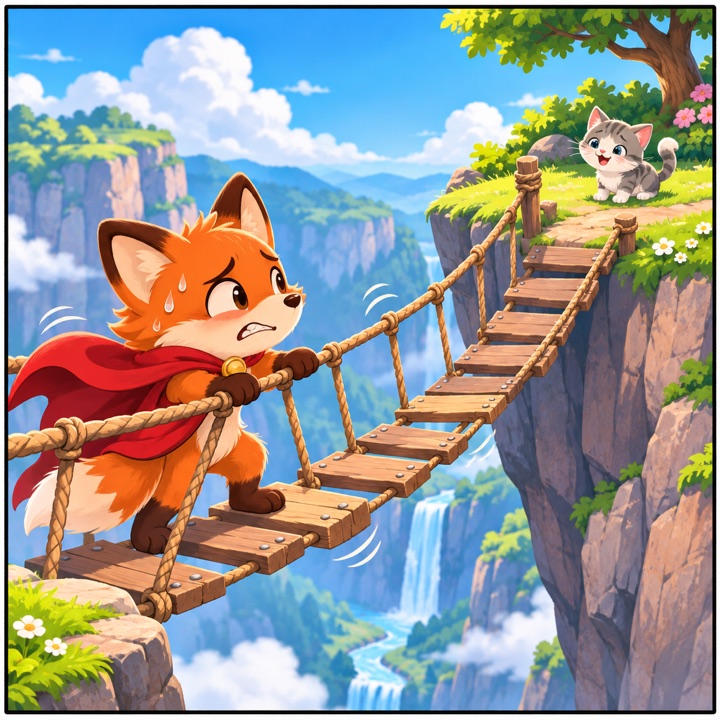
Week 4 starts with this: same AI, two motion prompts. Children see for themselves that a vague prompt gets a glitchy clip, and that better words fix it.
the fox moves
Not the shot Sam planned.
Rafi runs across the rope bridge from left to right, the camera follows from the side, slow speed
That shot goes in the film.
- How AI video worksIt guesses the frames between pictures. Week 1.
- Adapting a storyFrom comic to film: what changes on screen. Week 2.
- Planning before generatingA shot list and an animatic. Week 3.
- Writing motion promptsWho, action, camera, speed. Weeks 4 to 6.
- DirectingComparing takes and choosing the best one. Week 6.
- Spotting glitches and fakesMelting faces, extra legs, deepfakes. Week 7.
- Using voices and sounds responsiblyYour own voice, and consent for anyone else’s. Weeks 8 and 9.
- Crediting AI honestlyWhat I did, and what AI did. Weeks 10 and 11.
Two age tracks
Same twelve missions. The older track makes a longer film.
Ages 8–9
- Film
- 45–60 seconds
- Shots
- 6–8 shots of about 5 seconds
- Camera
- Fixed shots, wide and close-up
- Voices
- 3–5 lines in their own voice, plus a narrator
- Sound
- A sound library + 2 effects they make
- Editing
- A template timeline with slots to fill
- About AI
- How AI video guesses movement
Ages 10–11
- Film
- 90–120 seconds
- Shots
- 12–18 shots of 5–8 seconds
- Camera
- Adds pans, zooms and tracking shots
- Voices
- A full cast: classmates voice the other characters
- Sound
- They make and layer effects and background sound
- Editing
- A free timeline: trim, transitions, pacing
- About AI
- Deepfakes in depth, and the energy and cost behind AI video
Safety
Video and voice, with guardrails built in.
Every Term 1 rule still applies: filtered pictures, no characters that belong to someone else, teacher control. Video and voice add these.
-
Only drawn characters moveNo photo of a real person is ever animated, so deepfakes are ruled out by design.
-
No voice cloningChildren record their own voice; the narrator is a preset voice from a vetted library.
-
Private recordingsParents consent before week 8, and recordings are deleted at the end of the school year.
-
Music off by defaultThe school chooses: no music, percussion and voice only, or an instrumental library.
Week 12 · Film Premiere
A cinema night for parents.
Parents watch their child’s film on a big screen. Candide supplies the class compilation video, the poster and certificate templates, award cards and the invitation.
-
The screeningEvery film in the class, back to back, in the auditorium or the classroom.
-
Film postersEach child makes a poster, printed and shown at the entrance.
-
Awards for every childBest Film, Best Voice Acting, Best Sound, Funniest Moment, and more.
-
Parent invitationIn English and Arabic, plus a private film page to share with family.
The hero comes back all year
- T1Available now
- T2Bring Your Hero to LifeComing soon
- T3Coming soon
Term 2 · In preparation
Start with Term 1 next term.
Term 2 follows Term 1: the film is made from the comic. Book a 20-minute demo and we’ll show you one mission end to end and how the year fits together.